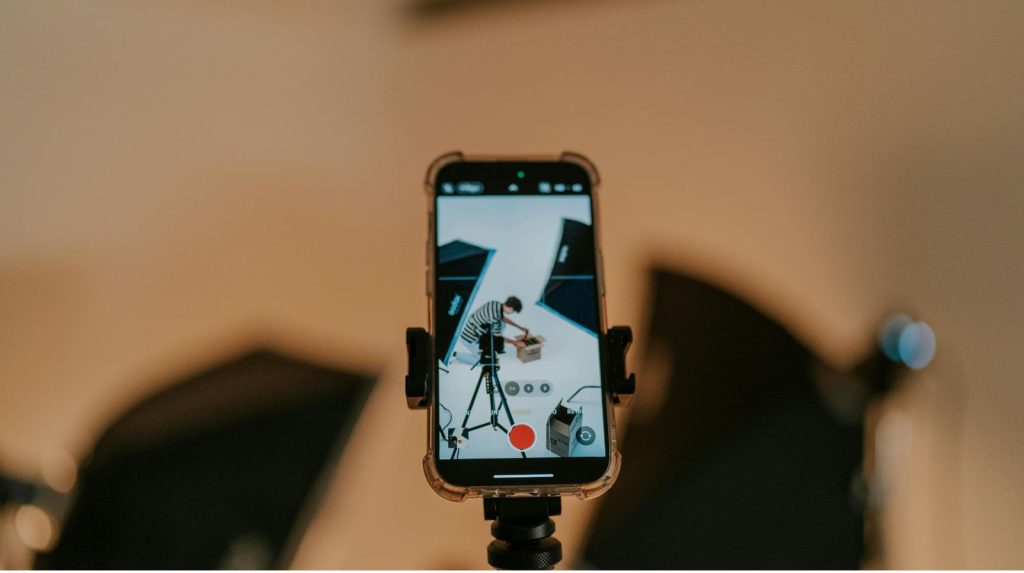
The best AIs to create videos revolutionize how we produce visual content, whether for marketing, social media or personal memories. If you are working on travel videos, consider enriching your storytelling by consulting also best destinations for summer 2026, to inspire your sequences and scripts.
In this article you will find a convenient selection of tools, step-by-step tips, and concrete examples to integrate these technologies into your video workflow.
Why choose the best AI to create videos?
The best AIs to create videos allow to automate repetitive tasks and speed up production. They offer the possibility of generating scenarios, synthetic voice offs, automatic subtitles and even animated images from a simple text.
In addition, they reduce production costs and make video accessible to independent creators. As a result, you can produce more content in less time, with often professional quality.
Concrete benefits
- Production speed thanks to automatic mounting.
- Reduction of technical team costs.
- Accessibility for non-technicians via intuitive interfaces.
- Customization and quick iteration to test multiple versions.
Limitations and precautions
- Always check audio quality and lip-sync for synthetic voices.
- Respect copyright on visual and musical elements.
- Pay attention to deepfakes and the ethics of face use.
- Control the quality of the content generated: the AI must attend, not replace, human creativity.
Top 8 of the tools to create videos
Here is a practical selection, tested for different uses: short clips, explanatory videos, advertisements and travel stories.
1. Synthesia — voice and avatars IA
Synthesia allows to generate videos with talking avatars from a text.
- Ideal for: tutorials, presentations, training.
- Tip: Use short scripts (30–90 seconds) and add illustration images.
- Practical tips: Choose a natural voice, correct punctuation to improve tone, and export at 16:9 or 9:16 depending on the platform.
2. Pictory — Text to Video
Pictory converts articles or scripts into dynamic videos with automatic subtitles.
- Ideal for: blog articles transformed into videos, content summaries.
- Example: Take an 800-word article and generate a 2-minute video with free-of-rights images.
- Tip: Replace a few images to enhance visual consistency.
3. Runway — Advanced edition and creative effects
Runway offers editing tools powered by the AI: object removal, image generation and transitions.
- Ideal for: creators looking for unique effects.
- Tip: Use background removal to overlay elements without green background.
- Concrete example: modifying an urban plan by adding a sunset generated by the AI.
4. Description — audio editing and transcription
Descript simplifies audio and video editing via text transcription.
- Ideal for: podcasts, vlogs, interviews.
- Tip: correct the transcript, then cut the text directly to edit the video.
- Advantage: Automatically export YouTube-enabled subtitles.
5. Lumen5 — creation of social media videos
Lumen5 turns texts into stylish videos for Facebook, LinkedIn and Instagram.
- Ideal for: content marketing.
- Tip: Use models adapted to the platform and test different thumbnails to boost the RTC.
6. VEED.IO — light mounting + IA subtitles
VEED.IO offers simple tools to add subtitles, translations and effects.
- Ideal for: fast content creators.
- Tip: enable the automatic captioning option, then manually adjust the timing.
7. Kaiber allows to create short animations from images and text prompts.
- Ideal for: intros, animated graphic elements.
- Example: Turn a photo of a landscape into a short animated scene.
8. InVideo — templates and guided mounting
InVideo offers professional templates and a simple editor.
- Ideal for: promotional advertising, quick editing.
- Tip: Edit templates to match your graphic chart.
How to integrate AI into your video workflow: step-by-step guide
Here is a simple 6-step method to move from concept to final video.
Step 1 — Set Purpose and Format
- Determine the target duration and distribution platform.
- Choose the tone: informative, promotional, narrative.
Step 2 — Write an optimized script
- Write a concise text with clear calls for action.
- Then segment the script into short scenes (5–15s).
Step 3 — Choosing the right tools
- Use Synthesia or Descript for narration.
- Use Pictory or Lumen5 to transform text into visuals.
- For advanced effects, go through Runway or Kaiber.
Step 4 — Assembly and assembly
- Import assets (clips, images, free music).
- Let the AI offer automatic assembly, then refine manually.
- Transition words: Finally, check the fluidity between the scenes.
Step 5 — Subtitles and Location
- Enable automatic captioning and then correct errors.
- To reach an international audience, translate via the AI and adjust the timing.
Step 6 — Export and testing A/B
- Export in multiple formats and resolutions.
- Test two versions (miniatures, titles) to optimize performance.
Good practices and advanced advice
Adopting these good practices will improve the final quality and reach of your videos.
Preserving the human voice
Even if the AI can generate a convincing voice, mix synthetic voice and real recording for more authenticity.
Monitoring intellectual property
Use rights-free image and music banks, and keep licenses.
Measuring performance
- Analyze video retention rate.
- Monitor CTA-related conversions.
- Adjust the format according to the platform.
Use cases: concrete examples and templates
Here are three real scenarios and how to apply AI.
Video product for e-commerce
- Use a short script, clear AI voice and generated product drawings.
- Actionable: Create a sequence before/after in 30 seconds.
Short travel story (practical example)
- Capture 10 to 20 short clips, import into Pictory or InVideo.
- Then generate a narrative script and use the voice IA for narrative.
- For ideas of places to film during a weekend, see also ideal destinations for a weekend that can enrich your shooting plans.
Training and tutorials
- Save your screen, use Descript for editing and Synthesia for translated modules.
- Tip: add short quiz to increase engagement.
Security, ethics and legality
The use of AI raises important questions.
Respect people and data
- Get consent for the use of faces or voices.
- Avoid creating deepfakes without permission.
Check licenses
- Read the conditions for using IA platforms.
- Keep proof of purchase for paid resources.
Detect bias and false information
- Reread and validate the facts generated automatically.
- Do not rely blindly on suggestions for AI content.
FAQ
What are the best AIs to create videos quickly?
Tools like Pictory, Lumen5 and VEED.IO are optimized for speed. They quickly convert text into video and offer ready-to-use templates.
Can synthetic voice be used for commercial use?
Yes, but check the supplier's conditions of licence. In addition, it is recommended that explicit authorization be obtained for voices that imitate a real person.
How to choose the right format for each platform?
Start by setting the target: engagement (9:16 for Reels/Stories), visibility (16:9 for YouTube), or professional sharing (1:1 for LinkedIn). Test and analyze performance to refine your choice.
Conclusion
The best AIs to create videos offer enormous potential to accelerate production, improve quality and democratize audiovisual creation. By combining suitable tools, solid scripts and human validation, you can produce powerful and professional videos without a massive budget.
Try a tool today, apply the steps described here and measure the results. Take action: plan your next video, select an AI tool and create a prototype within a week. You will be surprised how quickly you can turn an idea into engaging content.

